How to Register for Your Course
→←Coaching and Officiating→←Coach and Instructor Courses→How to Register for Your Course
Registering takes a few more steps than you’d expect
Coaching and instructor courses are booked through JustGo, and enrolling is only part of it. This guide walks you through every step, from logging in to booking your spot on the day.
Tip: keep this page open in one tab and JustGo in another, so you can follow along.
How it works

Enrol
Choose your course and pay in JustGo.

Choose your location and date
Pick where and when you’ll do your assessment. This happens after you pay, not when you enrol.

Complete your eLearning
Work through your online modules before the day.

Attend your assessment
Show up, get assessed and you’re on your way.
What you’ll need
Make sure you have these sorted before you log in:
- An AusCycling membership. Ride membership is the minimum for club instructing. Supporter membership suits those doing a course for work. Compare memberships.
- Your JustGo login. Forgotten your password? Reset it on the login page first.
- About 10 minutes. Enough to enrol and book your assessment in one go.
Step 1. Log in to JustGo
Log in before you do anything else. Course links on this page and in our emails only work once you’re logged in.
Step 2. Enrol and pay
Got a link in one of our emails? Click it and you’ll go straight to your course. Select your course, check out and you’re enrolled.
Searching instead?
- Click Events & Courses in the top menu.
- Search for your course, for example “Foundation Instructor” or “Ride Leader.”
- Click the course, select your option and check out.
Course listings show 1 January 2026 and “Online Event.” Ignore both. You’ll choose your real date and location in Step 3.
Step 3. Book your practical assessment
⚠️ This is the step most people miss. Paying enrols you, but it doesn’t book your spot on the day.
- Go to the Learning Centre (or in JustGo, click MENU in the top left, then the green Learning Centre box) and open your course.
- Find the row named Practical Assessment booking or Practical Booking and click Launch course.
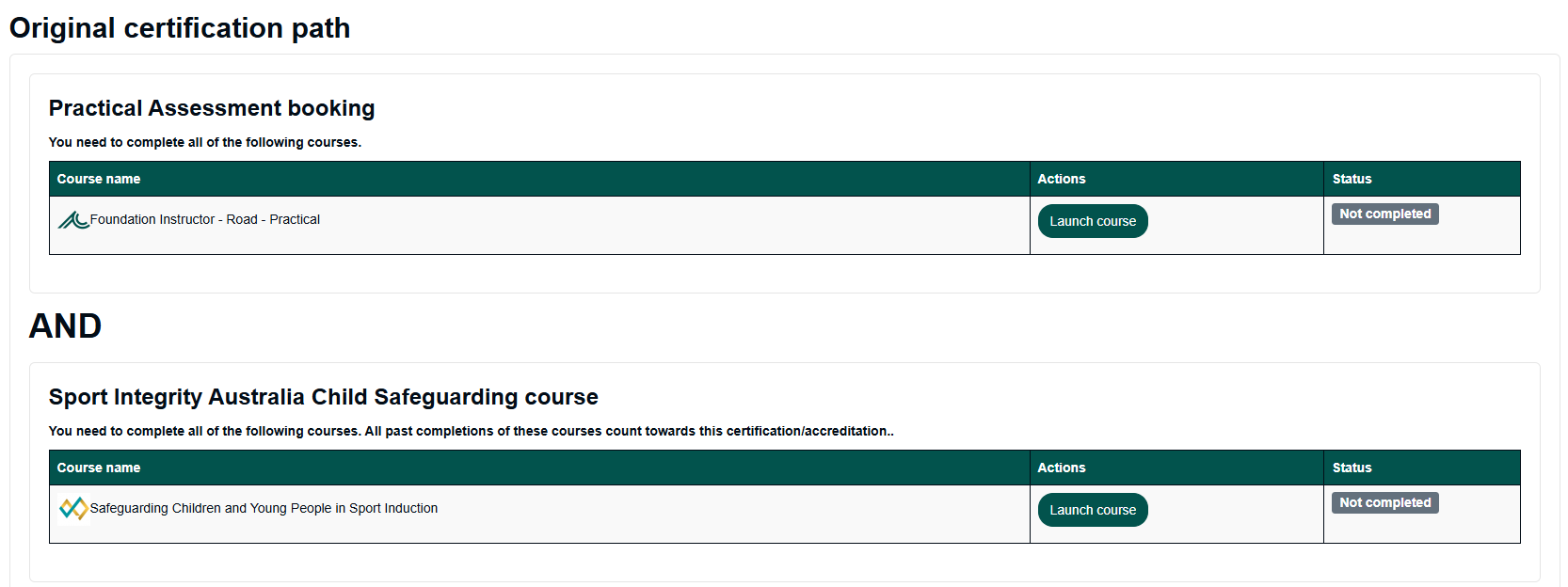
- Find your state and choose your session. Pick one that gives you time to finish your eLearning first.
See a “Location check” link? Click it and answer No before choosing your session. Sessions stay locked until you do.
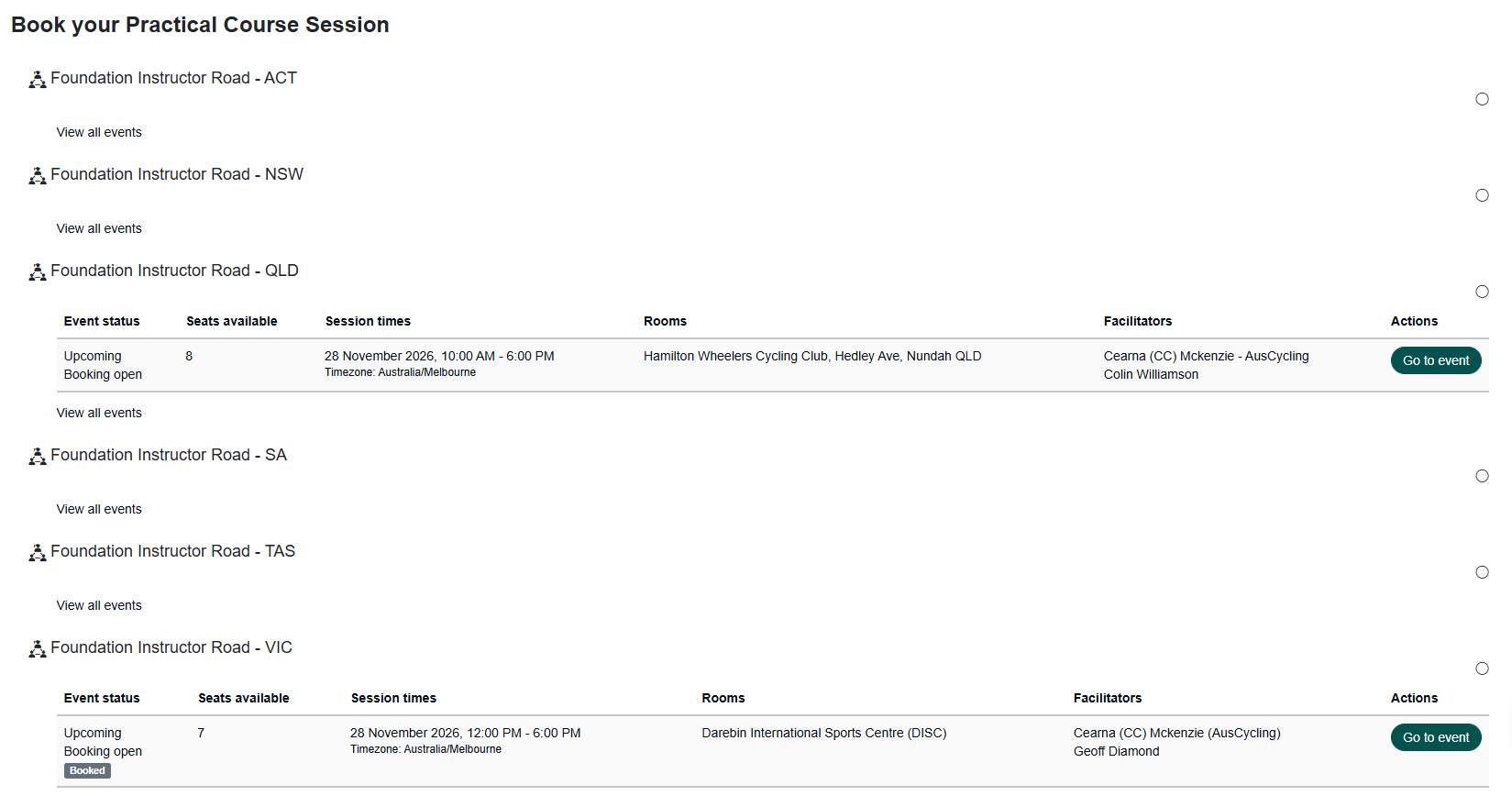
See a sign-up form? Tick the box to agree to the terms and conditions, then click Sign-up. The “Requests for session organiser” box is optional.
Step 4. Complete your eLearning
While you’re in the Learning Centre, work through your online modules. They must be finished before your assessment day. [Name common modules here once confirmed with CC.]
You don’t have to do them all at once. To come back later, click MENU, then Learning Centre.
You’re all set when you’ve...

Paid for your course

Booked your practical assessment

Completed your eLearning
Finalising your accreditation
To become accredited, you’ll need a current First Aid certificate (HLTAID011 or higher) and a Working with Children Check for the state you’ll be instructing in. Upload both to your JustGo member profile.
Don’t have these yet? You can still attend and provide them within six months of the course.
Common questions
Which membership do I need?
Ride membership is the minimum for club instructing. Supporter membership suits those doing a course for work. Compare memberships.
There’s no assessment near me. What can I do?
Face-to-face assessments run roughly every two to three months in major cities, so enrol and start your eLearning in the meantime. If you live more than 300km from a major centre, remote video assessments are available.
I’m already accredited in one discipline. Do I need to do it all again?
No. You’ll only need the discipline-specific modules and assessment.
Can my club host a course?
Yes. If you have at least six people keen, email [email protected] to register your interest.
Need help?
Email [email protected] and our team will help you out.